Machine Catalog PDFs
Upload final CNC lathe, machining center, rotary transfer, forming, trimming, and automation catalogs in Media, then link them from this hub.
Prepared for future Media linksDownloads and Video
A buyer resource library should make documents discoverable without slowing the page. Upload final PDFs and videos in WordPress Media, then connect them here with crawlable summaries and internal links.
Search engines and AI systems can read visible text more reliably than a silent file button. Each PDF, video, or certificate should have a short HTML summary, date, category, and internal links before the download link.
Upload final CNC lathe, machining center, rotary transfer, forming, trimming, and automation catalogs in Media, then link them from this hub.
Prepared for future Media linksPrepare buyer-facing templates for drawings, volume, utilities, inspection requirements, destination country, and acceptance criteria.
Prepared for future Media linksUse a light cover image first. Keep the video transcript as indexable text so search engines and AI systems can understand the footage.
Prepared for future Media linksKeep available certificates, packing notes, FAT references, and export service documents discoverable without overstating unverified claims.
Prepared for future Media linksProduct PDFs, certificate scans, and parameter screenshots help buyers verify details. The page still needs visible HTML summaries, dates, categories, and internal links so search engines and AI systems can understand the document without downloading it first.
Upload each final catalog PDF to Media, then add the file link inside the matching Machine HTML body. Product-specific brochures should live with the product so future staff can update them without editing the theme.
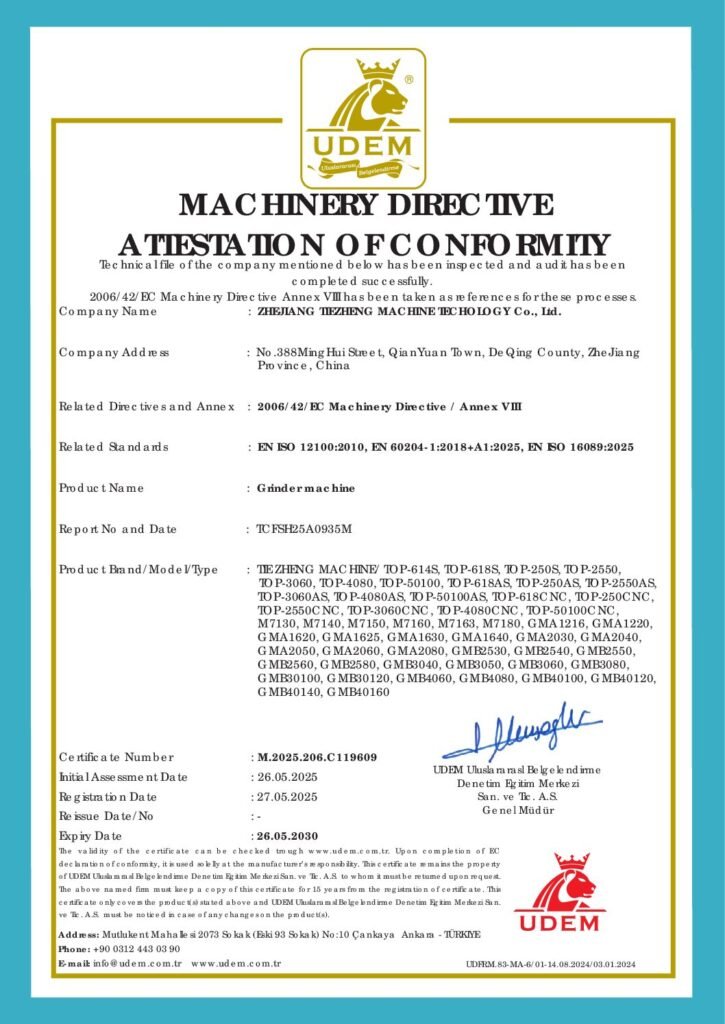
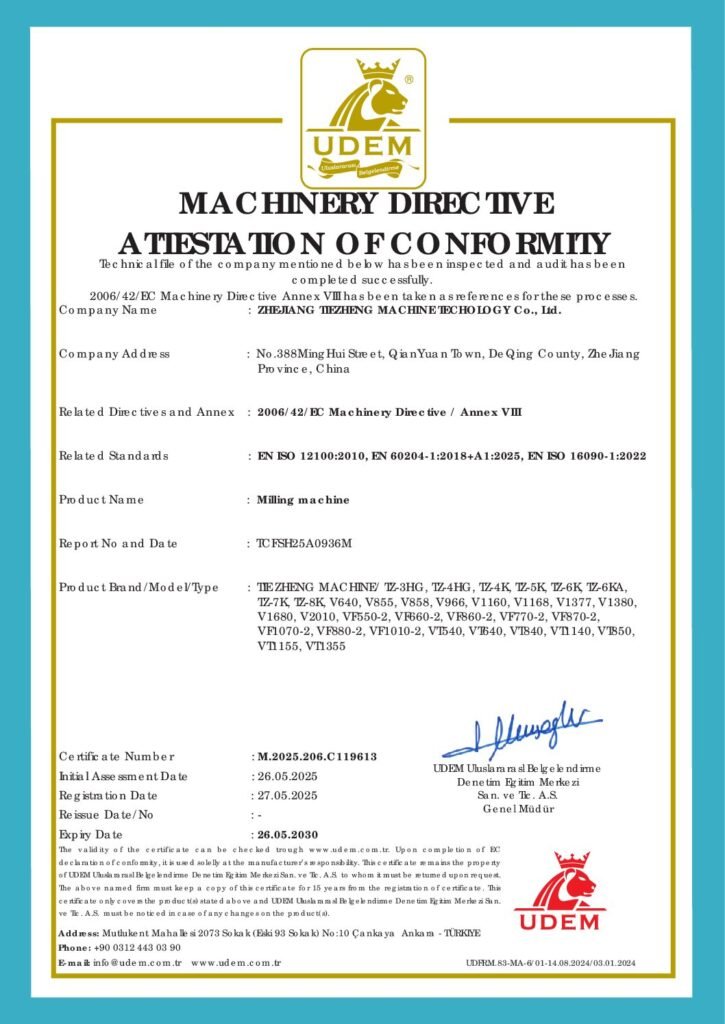
Open machine catalog →The two UDEM PDF references are connected from the certificate hub. The page keeps searchable certificate numbers, model scope, standards, expiry dates, and document context in HTML.
View certificate hub →Host the video as a click-to-load asset. Add the Media File URL in Appearance > Customize so the homepage and download hub show a cover image first and load video only after the visitor clicks.
Recommended homepage cut: 60-120 secondsThe main company film should stay concise. A 60-120 second version is ideal for the homepage. Longer technical clips can live in this hub, supported by a transcript and visible chapter summaries.
When the final video is uploaded, replace this placeholder with a real transcript. That gives buyers and AI search systems the same factual context as the video.
Introduce the Tiezheng manufacturing campus, assembly halls, machine tool production capacity, and export project workflow.
Show CNC lathes, machining centers, gantry platforms, rotary transfer systems, forming equipment, fixtures, and machine testing scenes.
Explain drawing review, cycle-time discussion, FAT, packing, shipment, installation notes, spare parts, training, and remote communication.
Search engines and AI systems cannot understand a video or PDF alone as well as a page that explains what each file proves and when a buyer should use it.
PDFs can be indexed, but they work better when a normal page explains the file, links to related pages, and gives search engines crawlable context.
No. A compressed cover image should load first, and the video file or embed should load only after the visitor clicks.